




PIX4Dmatic Standard Instructor-led Online Training
Gain a solid understanding of photogrammetry principles, along with best practices and expert tips for optimal results.

Training Dates and Times Are Officially Announced!
We’re excited to share that the dates and times for our upcoming training have now been finalized. Be sure to mark your calendar and plan ahead to join us for two focused, half-day sessions designed to deliver valuable insights and hands-on learning.
Training Schedule:
- Monday, March 23, 2026: 8:00 AM – 12:00 PM (PST)
- Tuesday, March 24, 2026: 8:00 AM – 12:00 PM (PST)
Each morning session will build on the last, giving you plenty of time to absorb the material, ask questions, and apply what you learn. We look forward to having you with us!
Why Migrate to PIX4Dmatic?
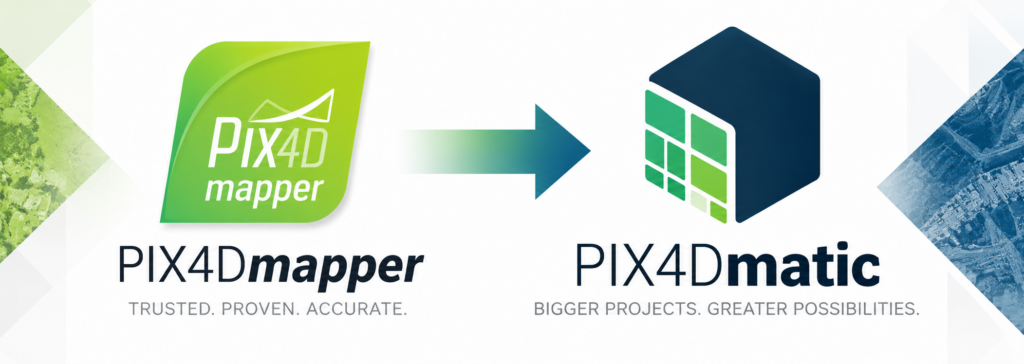
PIX4Dmatic is the clear evolution of PIX4Dmapper, delivering a faster, more modern workflow built for today’s larger and more complex photogrammetry projects. With PIX4Dmapper sales and renewals ending January 1, 2027, now is the ideal time to transition. PIX4Dmatic provides a seamless migration path and can open existing PIX4Dmapper projects, helping you protect your previous work while moving confidently to PIX4D’s next-generation processing platform.
- Jan 1, 2027 End of Sales – PIX4Dmapper will no longer be sold or renewed.
- Nov 30, 2027 Final Support Access – Personal support and ticketing remain available through this date.
- Dec 1, 2027 End of Support – Official support for PIX4Dmapper ends..
Pix4Dmatic is a powerful, next-generation photogrammetry software designed to handle large drone datasets with speed, accuracy, and reliability. Built for professional mapping, surveying, and 3D modeling, it processes thousands of high-resolution images into detailed 2D maps, dense point clouds, digital surface models, and textured 3D meshes. What sets Pix4Dmatic apart is its scalability and automation—it’s optimized for large-scale projects, integrates seamlessly with RTK/PPK data, and ensures georeferenced outputs ready for CAD and GIS workflows. Its intuitive interface and smart processing engine make it ideal for professionals who need both precision and efficiency in their drone mapping operations.
A good Pix4Dmatic training goes beyond just showing you where to click—it helps you truly understand the workflow behind professional mapping. The best classes are structured around hands-on learning, giving you real data to work with while walking through each stage of the process. You’ll learn how to import drone imagery, set up coordinate systems, process data into 2D and 3D outputs, and verify accuracy using ground control points. A strong training program also includes best practices for flight planning, project organization, data management, and troubleshooting common processing issues.
The most effective trainings are led by instructors who have real-world field experience. They not only teach the software but also share practical insights—like how to optimize processing times, maintain accuracy in challenging conditions, for streamlined workflows. By the end of a well-run training session, you should feel confident in your ability to take raw drone imagery and transform it into precise, professional deliverables ready for any surveying, construction, or engineering project.


PIX4Dmatic
Process drone imagery into dense point clouds and high-accuracy 3D models with PIX4Dmatic. Generate dense point clouds, orthomosaics, DSMs at scale with PIX4Dmatic processing.
Crash investigation
Investigating crashes 4 times faster with viDoc & PIX4DmaticUsing drones and the viDoc, one professional is reconstructing accidents in 3D with sub-centimeter accuracy.
TWO DAY ONLINE TRAINING:
Online Training
Attendees can expect to learn how to confidently process drone imagery into accurate 2D maps and 3D models using Pix4Dmatic. The training will cover the full workflow—from project setup and image calibration to point cloud generation, model creation, and exporting results.
Participants will also gain hands-on experience working with RTK/PPK data, ground control points, and coordinate systems to ensure precision. By the end of the session, they’ll understand best practices for efficient data management, workflow optimization, and integrating Pix4Dmatic with other Pix4D tools for professional, real-world applications.
- Hands-on instruction through the complete Pix4Dmatic workflow — from image import to final map and model generation.
- Understanding how to set up projects correctly using accurate coordinate systems and georeferencing methods.
- Learning how to process large drone datasets efficiently without compromising accuracy or quality.
- Using RTK/PPK data and ground control points (GCPs) to improve precision and consistency.
- Exploring how to create dense point clouds, digital surface models (DSMs), and textured 3D meshes.
- Reviewing quality reports to evaluate accuracy, identify issues, and refine processing settings.
- Discovering best practices for file organization and data management to keep projects streamlined.
- Integrating Pix4Dmatic with Pix4Dcloud, and CAD/GIS software for seamless workflows.
- Learning troubleshooting techniques for common challenges in photogrammetry processing.
- Gaining practical, real-world insights from an experienced instructor to apply directly to surveying, construction, and mapping projects.
Training Details
Location:
This training will be conducted entirely online, allowing you to attend from anywhere with a reliable internet connection.
Price:
Class Only: $340.00 USD per attendee.
Certification Only: $310.00 USD per attendee. *Class is required to test for certification.
Dates & Times:
The training is divided into two (2) sessions, each lasting four hours, to ensure an effective and manageable learning experience.
Monday, March 23, 2026: 8:00 AM – 12:00 PM (PST)
Tuesday, March 24, 2026: 8:00 AM – 12:00 PM (PST)
Operating System Requirements:
Participants must have access to a computer running the Windows operating system.
What You’ll Need to Attend:
Kuker-Ranken will provide each participant with a temporary PIX4Dmatic license for use during the training, so no prior license is required.
What You Receive
PIX4Dmatic Certificate of Completion
Provided directly by PIX4D upon successful completion of the training.
PIX4Dmatic Essentials Certification Knowledge
All students will develop a strong, working understanding of PIX4Dmatic along with the core principles of photogrammetry. This course is designed to build both knowledge and confidence by combining foundational concepts with hands-on, practical experience. Participants will learn how to efficiently process datasets, understand and apply accuracy standards, and follow proven workflows and best practices used by industry professionals in real-world projects.
By the end of the training, students will be well prepared to pursue and successfully complete the PIX4Dmatic Essentials Certification, with a clear understanding of the tools, processes, and expectations involved.
More Information
For additional details about course content, certification requirements, and next steps, please contact us directly.
Call to Register
Spots are available, so now is a great time to get signed up for our upcoming Pix4Dmatic online training. Give us a call today at 800-454-1310 to register or to get more details about the session. We look forward to helping you build your skills and get more value from your drone data!
This training is designed to walk you through the full Pix4Dmatic workflow in a clear, easy-to-follow format. From importing your images and setting up projects to generating accurate 2D maps and detailed 3D models, you’ll gain practical knowledge you can start using right away.
Whether you’re just getting started or looking to improve your current process, this session offers real-world tips and hands-on guidance from experienced instructors. You’ll have the chance to ask questions, learn best practices, and better understand how to optimize your results for speed and accuracy.
If you’ve been wanting to get more out of your drone data, this is a great opportunity to sharpen your skills and boost your productivity. Call us at 800-454-1310 to reserve your spot—we’re here to help you get the most out of every project.
As your instructor for the Pix4Dmatic training class, my goal is to help you become fully confident in turning drone imagery into accurate, professional mapping and modeling results. Throughout the session, I’ll walk you step by step through the complete Pix4Dmatic workflow — from importing your images and setting up your project, to processing data into high-quality 2D maps and 3D models. You’ll gain hands-on experience working with real datasets, learning not just what to do, but why each step matters in achieving reliable and precise outcomes.
During the class, I’ll show you how to optimize your processing settings, use RTK/PPK data and ground control points for accuracy, and manage coordinate systems effectively. We’ll also explore how to troubleshoot common challenges and improve efficiency when dealing with large datasets. My aim is to make sure you leave understanding how to confidently handle every stage of your photogrammetry workflow — whether you’re mapping construction sites, surveying land, or creating detailed 3D visualizations.
By the end of the training, you’ll know how to integrate Pix4Dmatic with other tools to streamline your projects and collaborate more easily. I want you to walk away not just knowing the software, but ready to apply it directly to your own work. This class is all about giving you practical, real-world skills you can use immediately to elevate your results and expand your capabilities in drone mapping and data processing.

Francisco Gonzales, CMS Reality Capture @ Kuker-Ranken | FAA Commercial Multi-Engine, Instrument rated pilot